Commission
30%
Recurring for 12 months on referred Pro purchases.
Creator media kit
Sponsor reads, affiliate disclosures, b-roll prompts, screenshots, and talking points for creators covering Session Activity Helper.
Commission
Recurring for 12 months on referred Pro purchases.
Launch bonus
Optional first-3-month promo for trusted launch creators.
First ask
Send viewers to test the extension before they consider Pro.
Trust angle
Browser-only controls, diagnostics, and limitations stay clear.
Hook
Long browser session or form portal? Do not wait for the timeout surprise.
Demo
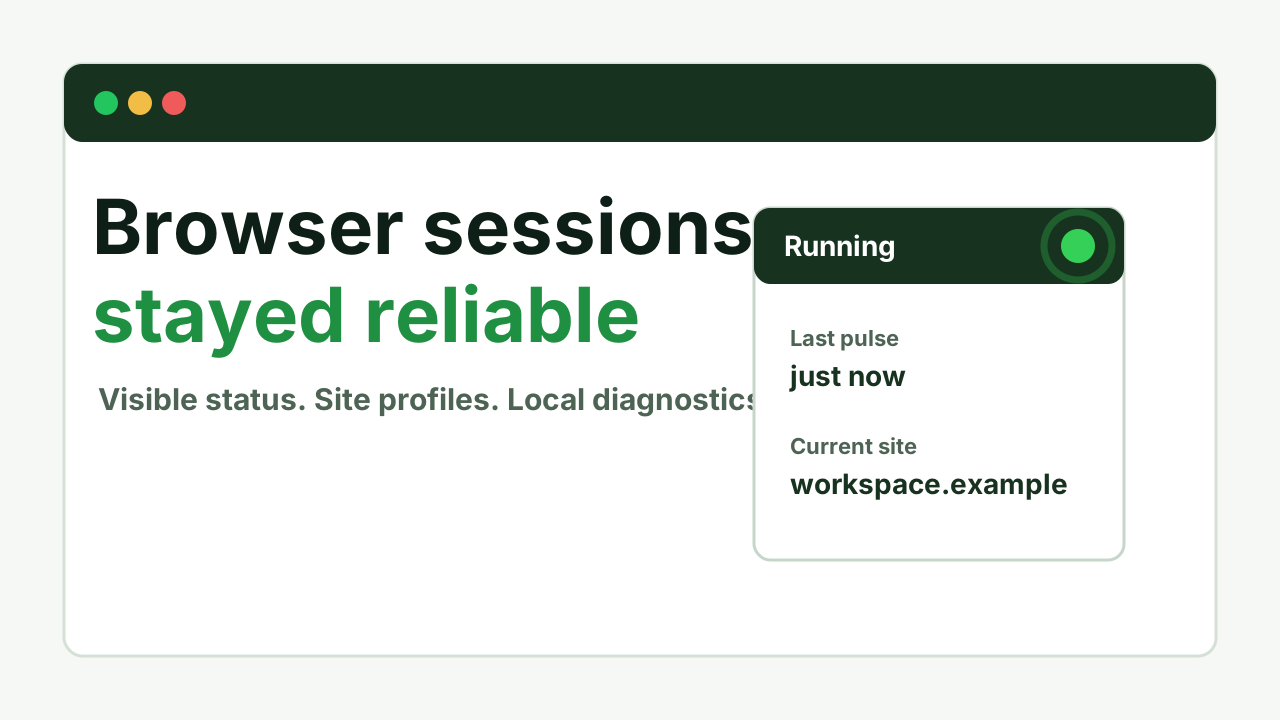
Open the extension, click Test page, start a session, and show the green status dot.
Trust line
Browser-only, visible, user-controlled, and not a system cursor or sleep utility.
CTA
Install free first: https://go.sessionactivityhelper.com/try. Upgrade only when saved profiles or longer run windows are worth it.
A narrow Chrome utility for people who live in long-running browser tools.
Chrome Web Store firstA practical helper for dashboards, queues, reports, and admin pages.
Use-case page or free installA trust-first demo for long applications, KYC portals, document verification, and approval forms that time out before submission.
Form portal guideA short tool note with honest browser-only limitations and recurring affiliate economics.
Media kit plus creator slugShow a timeout pain point, the green dot, and diagnostics in under 20 seconds.
Free installVideo script pack
45 seconds youtube demo script for the first public demo or creator placement.
Hook
Long browser sessions should not surprise you with a timeout.
Narration
If a supported browser dashboard, CRM tab, training portal, or long form times out while you are still working, Session Activity Helper gives you visible controls for browser-session reliability. Open it from the Chrome toolbar, test the page, start a session, and watch the green running status plus diagnostics like last pulse and active profile. Pro adds saved site profiles for repeat workflows. It is browser-only: it does not move your system cursor, keep your computer awake, submit forms, or bypass SSO and admin policy.
Caption
Try Session Activity Helper free: https://go.sessionactivityhelper.com/try. Browser-only, visible, and built for supported Chrome sessions.
Pinned comment
Install free: https://go.sessionactivityhelper.com/try Chrome Web Store: https://chromewebstore.google.com/detail/session-activity-helper/bfamkgkjoelnmjjhmpmfdmcpcehlhhno Support and limitations: https://sessionactivityhelper.com/support Disclosure: creator links may be affiliate links. Reviews are never rewarded.
18 seconds · Short-form video
The training video keeps running, but the portal session does not.
Some long training portals need visible browser activity to stay reliable. Test the page, start Session Activity Helper, and keep an eye on the green status. If your company SSO expires the token, only admin policy can change that.
Caption: For supported Chrome training sessions. Visible, browser-only, user-controlled. https://go.sessionactivityhelper.com/try
20 seconds · Short-form video
Dashboards always log out when you actually need them.
For supported Chrome dashboards, Session Activity Helper gives you a visible keep-session workflow: start, status, last pulse, and diagnostics. It will not bypass your app rules, but it helps with browser-side idle behavior.
Caption: A practical Chrome helper for supported dashboards and admin tabs. https://go.sessionactivityhelper.com/try
22 seconds · Short-form video
Long forms and CRM entries should not vanish because a tab sat quiet.
Before a long supported browser workflow, test the page and start Session Activity Helper. Use visible status and diagnostics so you know what is running. It does not submit forms or save data for you, so still save drafts when the app allows it.
Caption: For supported long browser workflows. It is not form automation; it is visible session reliability. https://go.sessionactivityhelper.com/try
15-second sponsor read
Session Activity Helper is a Chrome extension for keeping supported browser sessions reliable. It runs visibly from the toolbar, shows status and diagnostics, and keeps controls in the user's hands.
30-second sponsor read
If a browser dashboard, long form, or portal signs you out at the wrong time, Session Activity Helper gives you a transparent way to keep supported web sessions reliable. You start it from the Chrome toolbar, watch the visible running status, and use site profiles for repeat workflows. It is browser-only, user-controlled, and includes local diagnostics so you can see what happened.
60-second sponsor read
Session Activity Helper is built for people who rely on long-running browser tools, dashboards, queues, admin screens, and forms or portals that can time out before submission. Instead of guessing whether a supported page is still active, you start the helper from the Chrome toolbar, confirm the visible status indicator, and review local diagnostics like the last pulse and active profile. Pro adds saved site profiles for repeat workflows. It is not an OS utility, it does not keep your computer awake, and it cannot submit forms or bypass OTP, 2FA, SSO, or site rules. It is a practical Chrome extension for transparent browser session reliability.
YouTube description block
Session Activity Helper keeps supported Chrome browser sessions reliable with visible toolbar controls, site profiles, and local diagnostics. Try it here: https://go.sessionactivityhelper.com/try Affiliate disclosure: This link may be an affiliate link. If you buy through it, I may earn a commission at no extra cost to you.
Newsletter blurb
Tool worth a look: Session Activity Helper is a Chrome extension for keeping supported browser sessions reliable during long dashboard, admin, form, portal, and workflow sessions. It runs visibly from the toolbar, includes local diagnostics, and supports saved site profiles on Pro. It is browser-only and user-controlled, so it should be described as session reliability software rather than a system utility. Try it here: https://go.sessionactivityhelper.com/try
Affiliate disclosure copy
Disclosure: This is an affiliate link. I may earn a commission if you purchase, at no extra cost to you.
Short-form caption
Long browser session or form portal? Use visible controls, site profiles, and diagnostics to keep supported Chrome sessions reliable. Browser-only. User-controlled. https://go.sessionactivityhelper.com/try
0-5s
A long-running dashboard or form portal is close to timing out. Say: "Long browser sessions should not surprise you."
5-12s
Open the extension from the toolbar, confirm the page is supported, and click Start.
12-22s
Point to the green status, last pulse, active profile, and diagnostics.
22-34s
Mention saved site profiles for dashboards or admin tools used often.
34-45s
State the limitations clearly and send viewers to the Chrome Web Store link.