Training portals
Reduce timeouts in long training portals.
Use visible, user-controlled browser activity while you complete onboarding courses, training portals, and gated lessons.
Read use caseChrome session timeout helper
Session Activity Helper reduces Chrome session timeouts on supported web apps with visible, user-controlled browser activity, per-site profiles, and local diagnostics.
Browser-only activity for supported pages. It cannot move your operating-system cursor, prevent device sleep, or guarantee every website accepts browser activity.
Where it helps
Start manually for quick sessions, then save profiles for the sites that keep interrupting your day.
Training portals
Use visible, user-controlled browser activity while you complete onboarding courses, training portals, and gated lessons.
Read use caseDashboards
Reduce surprise sign-outs on analytics, ticket queues, operations boards, and long-running browser tools.
Read use caseCRM and SaaS
Give Salesforce, support tools, admin portals, and internal apps a repeatable session profile.
Read use caseWorkday and HR
Use a visible page test and saved profiles for Workday, onboarding, benefits, and approval workflows that run long.
Read use caseKYC and documents
Test supported KYC, document verification, upload, and approval portals before long supervised workflows.
Read use caseSupport queues
Test supported Zendesk, help desk, and support dashboard tabs before long queue windows or incident coverage.
Read use caseMicrosoft 365
Test supported Outlook web, SharePoint, OneDrive, admin, and Microsoft 365 web app tabs with visible local status.
Read use caseGoogle Workspace
Test supported Gmail, Drive, Docs, Sheets, Admin console, and Google Workspace web tabs before long sessions.
Read use caseWhat you see
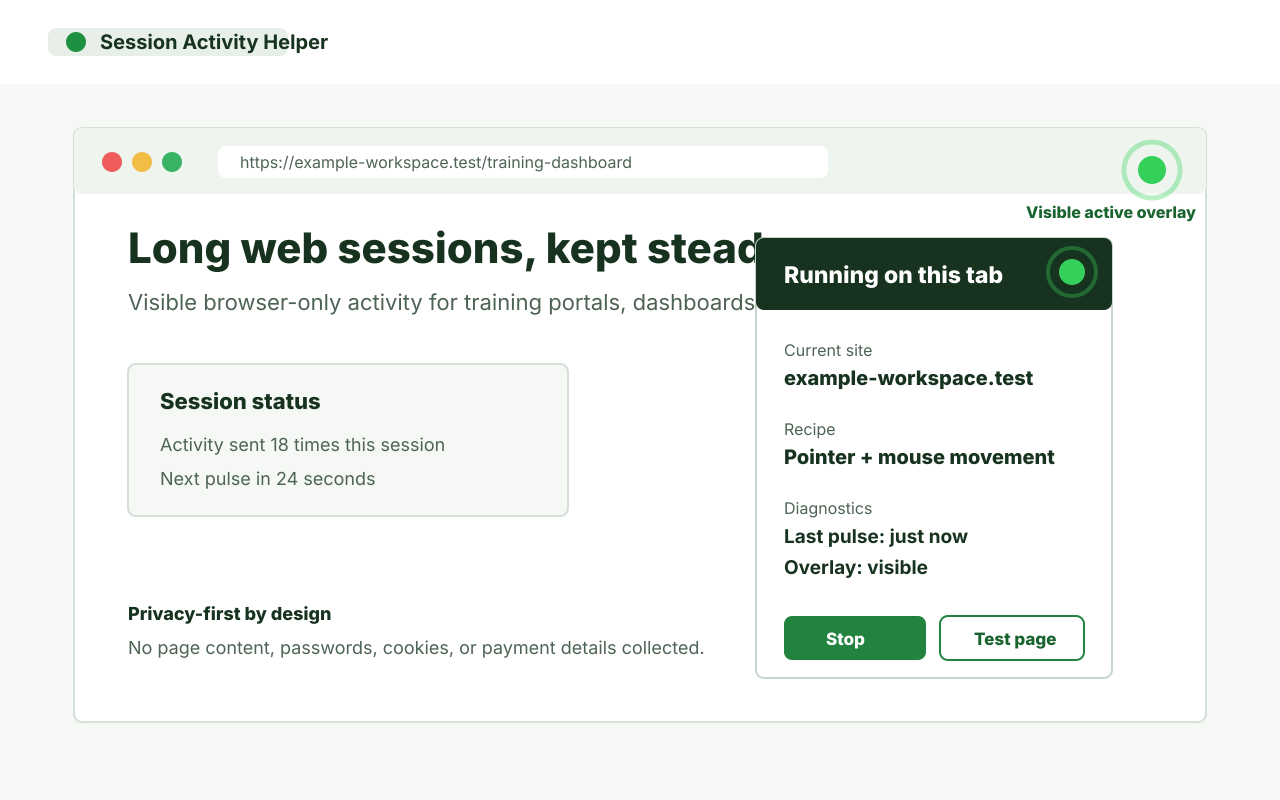
The popup and page overlay show whether the helper is running, when the last activity pulse happened, and what recipe is active for the current site.
Install the extension, open a normal website tab, run Test this page, then start a visible session from the toolbar. The popup shows support state, active recipe, last pulse, and local diagnostics.
Guides
Learn what a Chrome extension can help with, what it cannot override, and how to test a supported page before relying on it.
View all guidesPro value
Free is for manual use on one saved site profile. Pro is for repeat workflows: unlimited saved profiles, optional auto-start for saved domains, advanced recipes, longer visible run windows, exportable diagnostics, and premium indicator styles.
Compare free and ProReady to install
Works on supported website tabs in Chrome. Chrome internal pages, extension pages, and the Chrome Web Store do not allow session activity injection.